
The job it does
A clearer evidence record around the prepared level, with the original plan still attached.
EdgeDepth, inspect
Bring an EdgePrep plan into a chart-led workspace for order flow, participation, displayed liquidity and derivatives context, then decide whether to confirm, wait or stand down before opening EdgeCharts.
Available to signed-in members under the current product-access configuration.
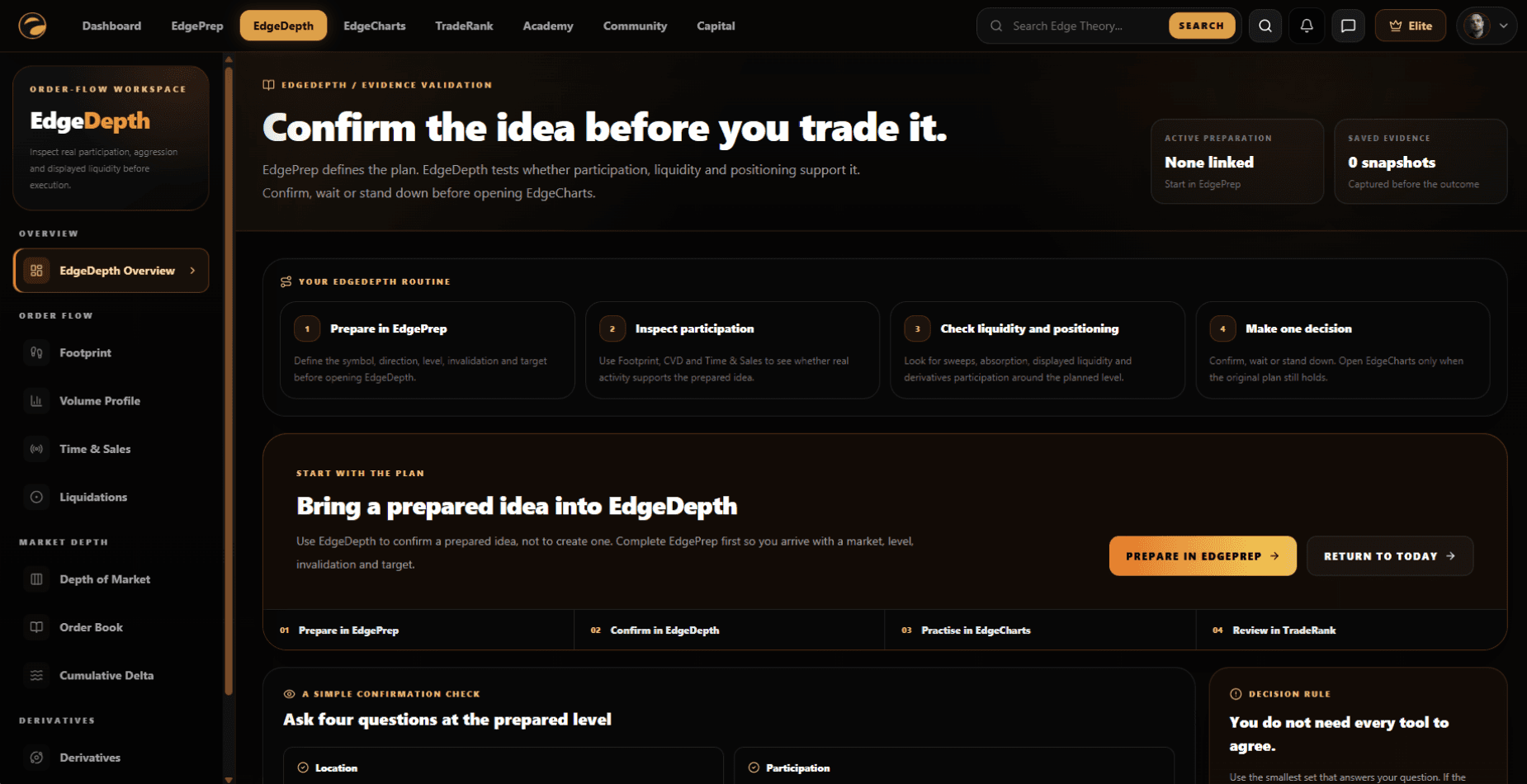
The job it does
A clearer evidence record around the prepared level, with the original plan still attached.
Why it matters
A prepared level can still fail when the participation, liquidity or positioning around it does not support the original idea.
The current member workspace
EdgeDepth groups the available tools by the question they answer. It keeps preparation, inspection, simulated practice and later review as separate responsibilities.
Participation
01Compare aggressive buying and selling with price response at the prepared level.
Participation
02Inspect where the market accepted trade and how quickly activity is reaching the market.
Liquidity
03Compare retained actual forced-closing events with clearly identified estimated future liquidation zones.
Liquidity
04Inspect current displayed bids and asks, nearby concentrations and gaps.
Positioning
05Read exposure, crowding, aggressive flow and forced exits together on one page.
Review
06Preserve the available evidence before the result is known.
Nine focused tools
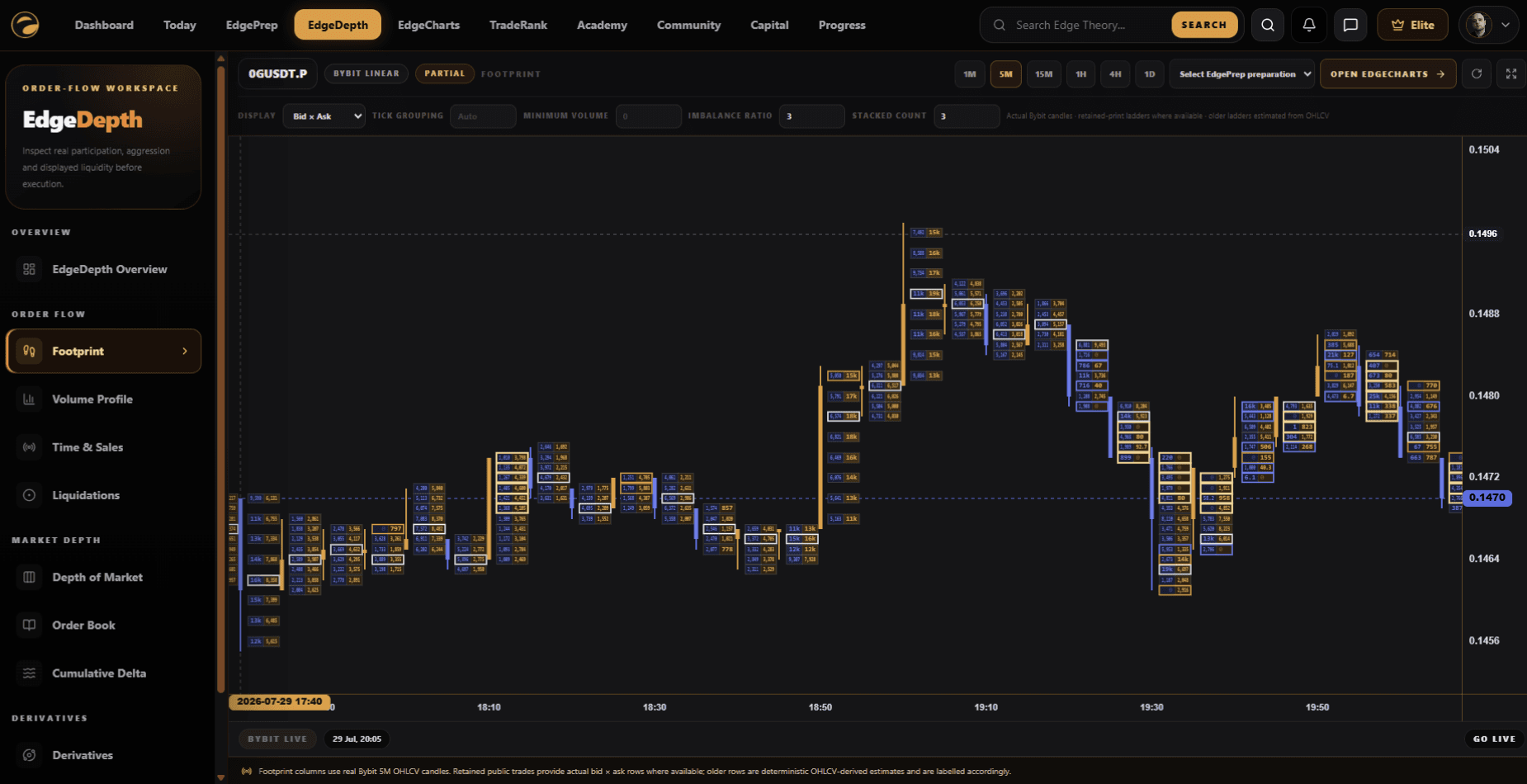
Use Footprint, Cumulative Delta, Volume Profile and Time & Sales to examine where trading happened and which side acted aggressively.
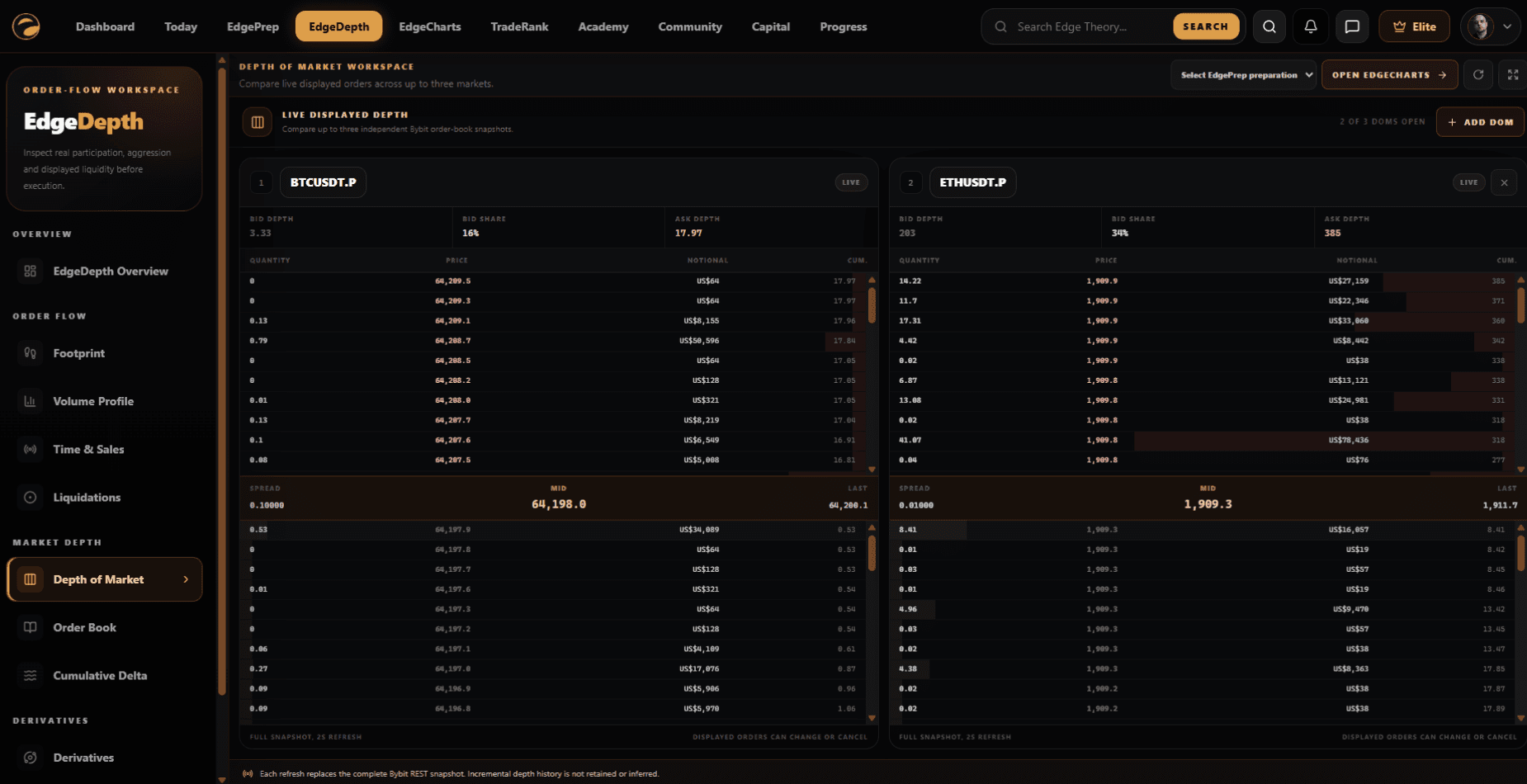
Use Depth of Market and Order Book views to examine displayed bids, asks, concentrations and gaps around price.
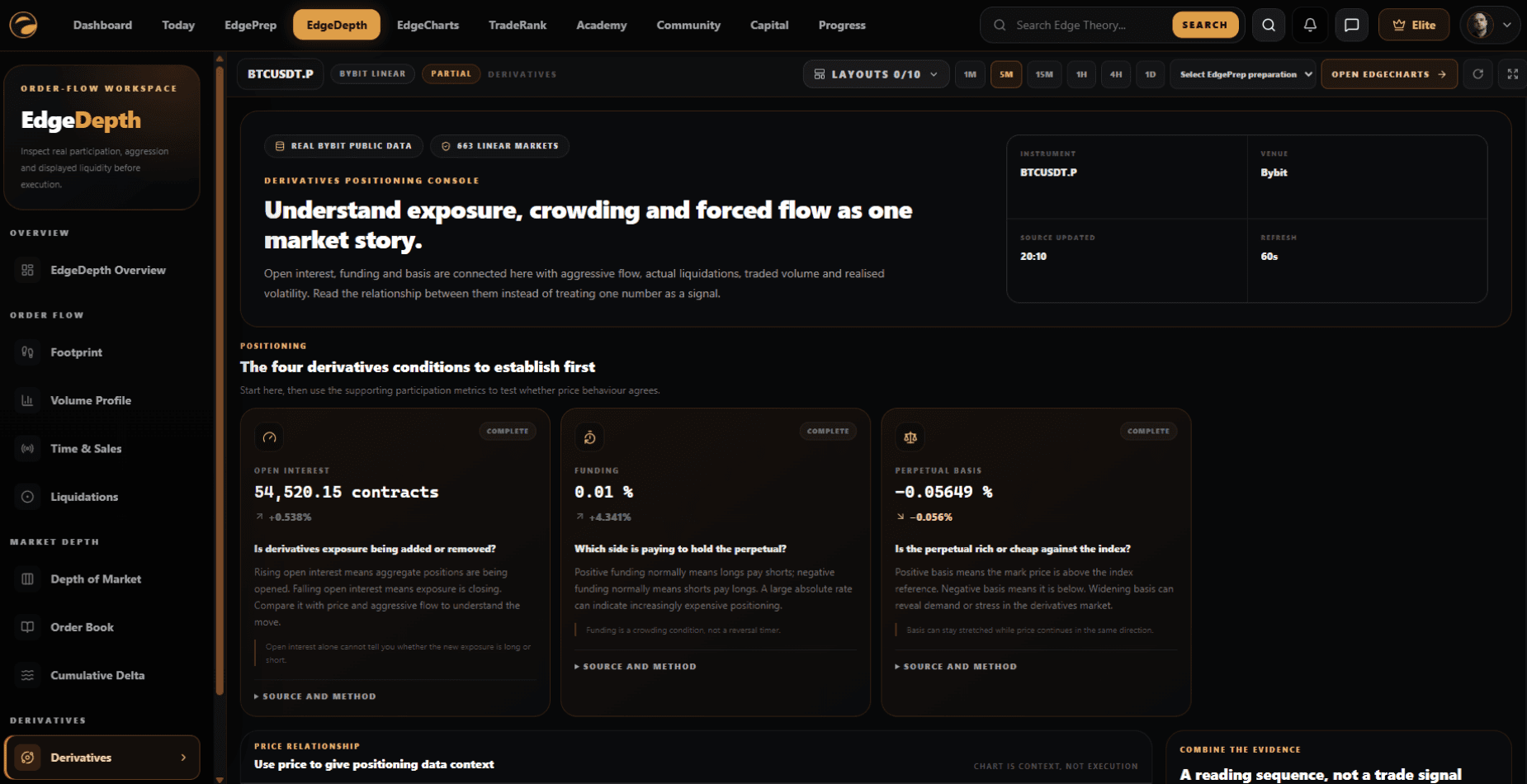
Read open interest, funding, perpetual basis, actual liquidations, relative volume and volatility together rather than treating one metric as a signal.
Save EdgeDepth context against the selected EdgePrep preparation so the later TradeRank review can use what was visible at decision time.
Current product screens
Explore the current overview, participation, displayed-liquidity and derivatives workspaces used to inspect evidence around an EdgePrep plan.
The operating flow
Define the symbol, direction, level, invalidation and target before opening EdgeDepth.
Use the smallest relevant set of participation, liquidity and positioning tools to test the prepared idea.
Keep the plan waiting when evidence is mixed and stand down when the preparation is invalidated.
Open the simulated trading workspace only when the original plan still holds.
Compare saved EdgeDepth evidence with the completed decision and its recorded context.
Connected without mixing responsibilities
EdgeDepth carries the preparation context forward, but it does not replace the plan, place simulated orders or own the completed review.
Supplies the selected preparation, symbol, direction, level, invalidation, target and status.
Receives the preparation context when the member chooses to continue into simulated practice.
Uses the preparation link and saved EdgeDepth evidence during later review.
Keeps preparation and review actions within the wider member routine.
One trading week
A product-use example, not a trading recommendation or a representation of expected results.
Define the market, direction, level, invalidation and target in EdgePrep.
Open only the EdgeDepth tools needed to answer the question at the prepared level.
Confirm, wait or stand down without treating one reading as a signal.
Save relevant evidence before simulated practice so the later review is not reconstructed with hindsight.
What this does not do
EdgeDepth identifies current data sources and distinguishes actual public trade or market data from estimated or modelled views where the required historical detail is unavailable.
Last reviewed 29 July 2026
Evidence standard
The interface demonstration above shows the current product mechanism. Member quotations appear only after membership, consent and moderation checks; absent evidence is not replaced with a broad outcome claim.
Current access: Available to signed-in members under the current product-access configuration.
Part of the connected workflow
This page stays focused on the product mechanism, access and limitations. The complete Learn to Improve sequence is explained once on How It Works.
Edge Theory provides education, tools, simulated environments and community features. It does not provide financial advice, trading signals or guaranteed outcomes.